
 Le Sentier
Le Sentier, the technical side
How you sign in, how data comes in, and what comes back out.
The app is native, not a web page
Le Sentier runs on Android and on desktop (Tauri). There is no browser version: every data call goes through the native layer, which holds the client certificate. So you do not sign in from a website — you install the app.
Signing up — by invitation during the pilot
The pilot is closed: we open the accounts. Once invited, this is the path through the app.
- You enter your email address.
- A six-digit code reaches you. It lives for ten minutes.
- You fill in the form: username, password, company, zone, province, language.
- The app waits until your account is built, then you are in.
Signing in afterwards
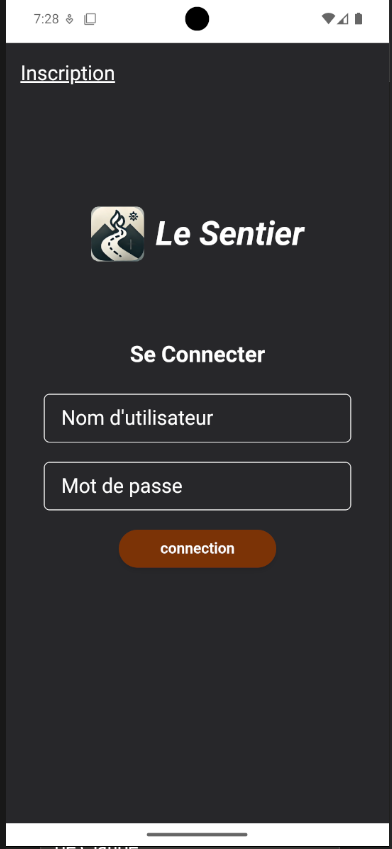
Username and password. The password does not sit in a users table on our side: HashiCorp Vault holds it and checks it. We keep neither a copy nor a hash.
Four layers
| Layer | What it proves |
|---|---|
mTLS | that the device talking is really the app |
Vault | that the person knows their password |
Redis | that the session is still open |
OPA | that this role may make this particular call |
Three ways in
Your register, connected
For Clover, you authorise the connection once in your browser, and the server fetches your sales every 45 seconds. One connection per zone. Inventory only moves when the order is paid.
Square, Toast and Lightspeed are on the roadmap. The internal vocabulary is already provider-neutral.
Your register, by file
If your register cannot be connected, the « File » connection does the same job: no token, no authorisation, you drop in a CSV or an Excel file. Re-importing the same file never counts anything twice.
First row: the column names. Required: date, item, quantite, montant. Optional: commande, nom, prix_unitaire, paiement, devise. Dates are written YYYY-MM-DD, the time is optional. Rows sharing an order are grouped.
commande;date;item;nom;quantite;prix_unitaire;montant;paiement
C1;2026-09-01;TARTE;Tarte aux pommes;2;12,50;25,00;carte
Your receipts, as photos
You photograph the receipt. It is read, and one line is proposed per recognised item — which you correct. Then two moves: apply the receipt (quantities enter stock and purchase tasks close), or attach it to an already-sealed purchase, which corrects the estimates, the stock value and the batch costs.
What comes out, and what does not
- To your register — your catalogue and your prices, on an explicit action. Nothing leaves on its own.
- As PDF — your quotes and your invoices. The invoice is sealed when it is sent: its number and its contents no longer move.
What does not exist yet, and we may as well say so: there is no general CSV or Excel export of your data. Exports are targeted. If you need one, tell us — that is the kind of thing we add.
For the curious
Everything is written in Rust, from the browser to the server: Leptos and Tauri on the client, actix-web on the server. Data lives in an RDF triplestore (Apache Jena) split into two graphs — identities on one side, business data on the other — and quantities and money in TigerBeetle.
Every action becomes an event, written once, by a single writer, with an identifier that makes replay harmless. A power cut in the middle does not leave half a transaction behind.
The most unusual choice: the OWL ontology is the source of truth, and the Rust code is a projection of it. The business vocabulary is described once, formally, and the rest follows.